Get-Re

Get-Re

Get-Re

Category

Category

Category

Telecom-Sustainability Tech

AI Retail Platforms

Kiosk & Self-Service UX

Telecom-Sustainability Tech

AI Retail Platforms

Kiosk & Self-Service UX

Telecom-Sustainability Tech

AI Retail Platforms

Kiosk & Self-Service UX

The project itself :

Project Overview

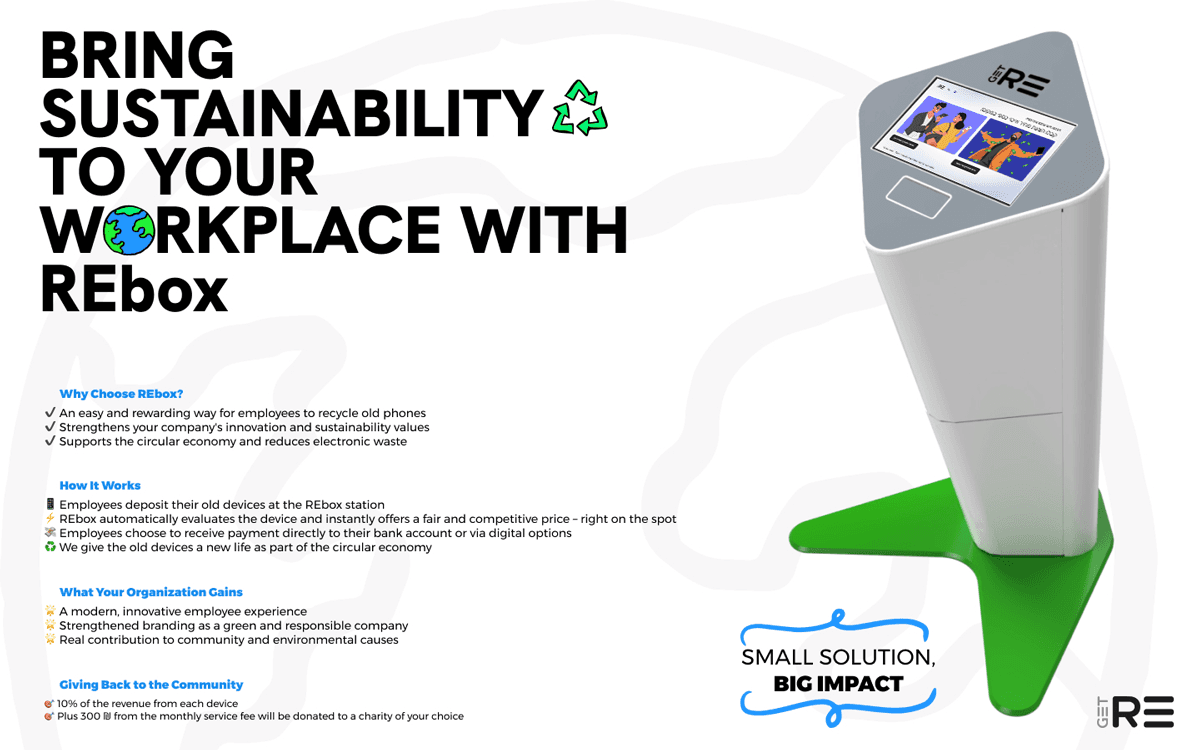
The main vision was to create a seamless, user-centric experience for mobile device trade-ins, emphasizing accessibility and technological innovation. The goal was to make the process effortless, efficient, and environmentally responsible by merging cutting-edge AI with an easy-to-navigate interface.

Problem:

Traditional in-store trade-ins were manual, error-prone, and time-consuming, leading to inconsistent device grading, customer friction, and limited real-time visibility for retailers on performance metrics like device values and revenue impact. Retailers struggled to integrate sustainable trade-in programs without disrupting sales flows or requiring extensive paperwork.

Goal:

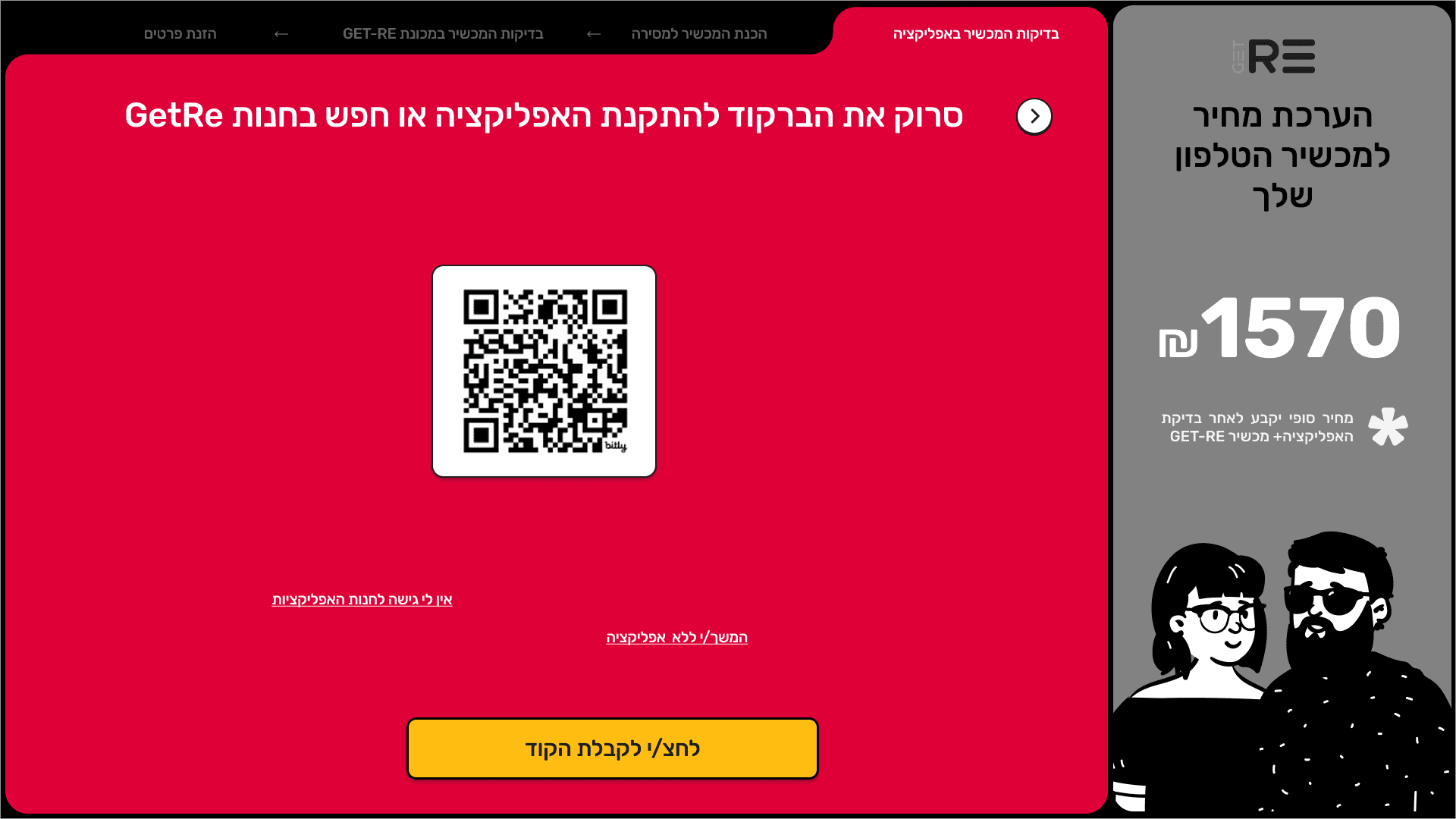
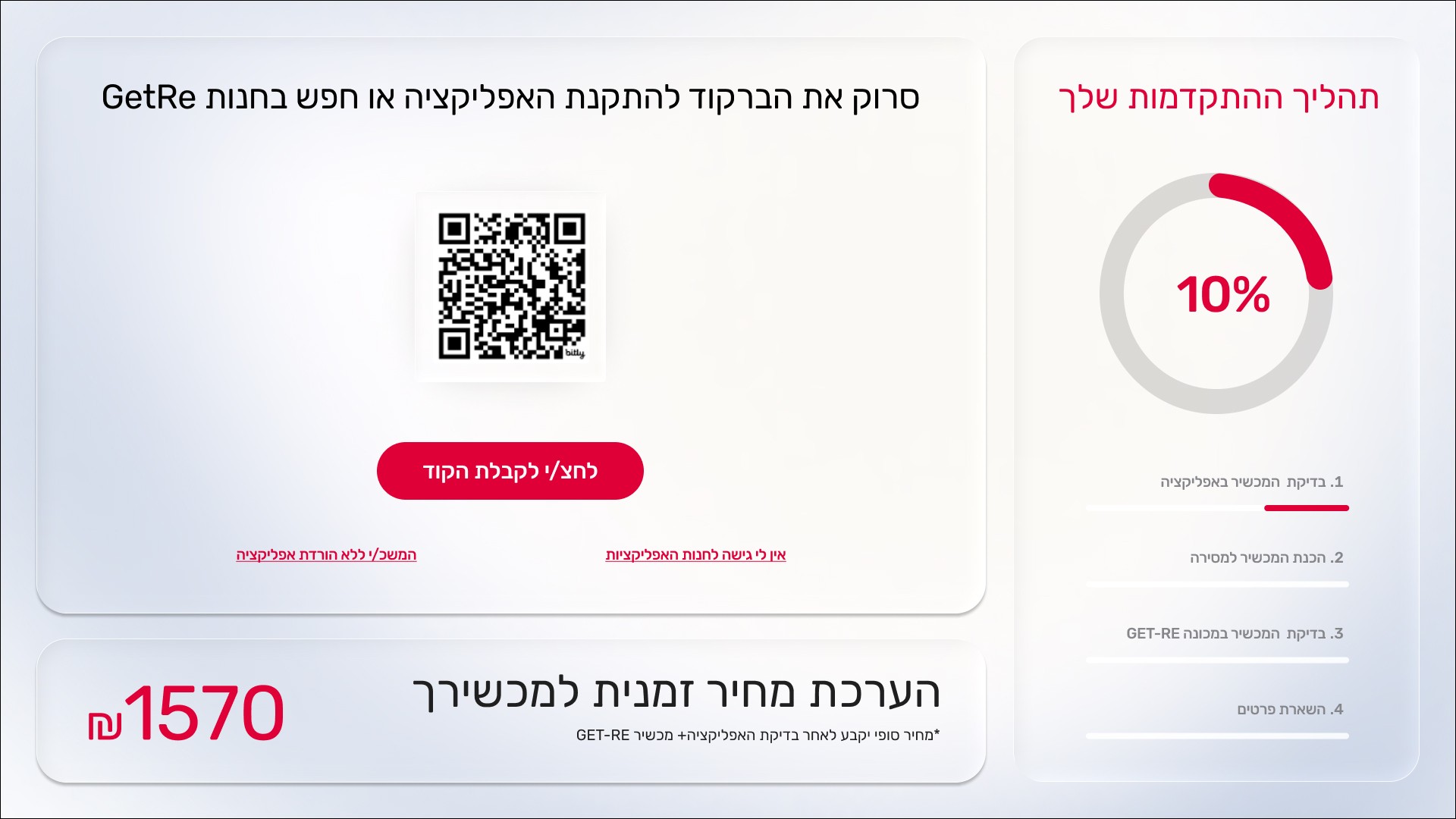
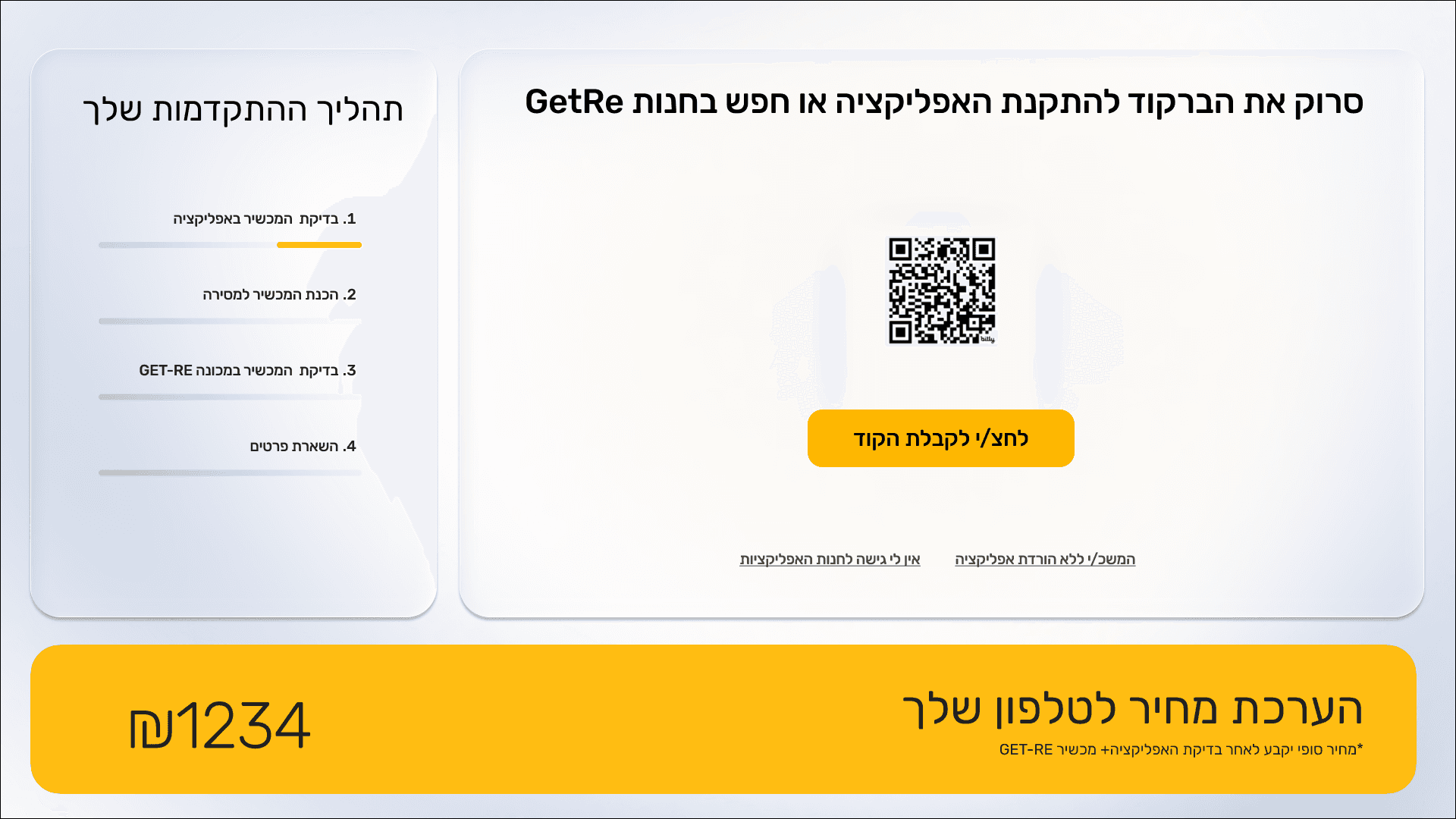
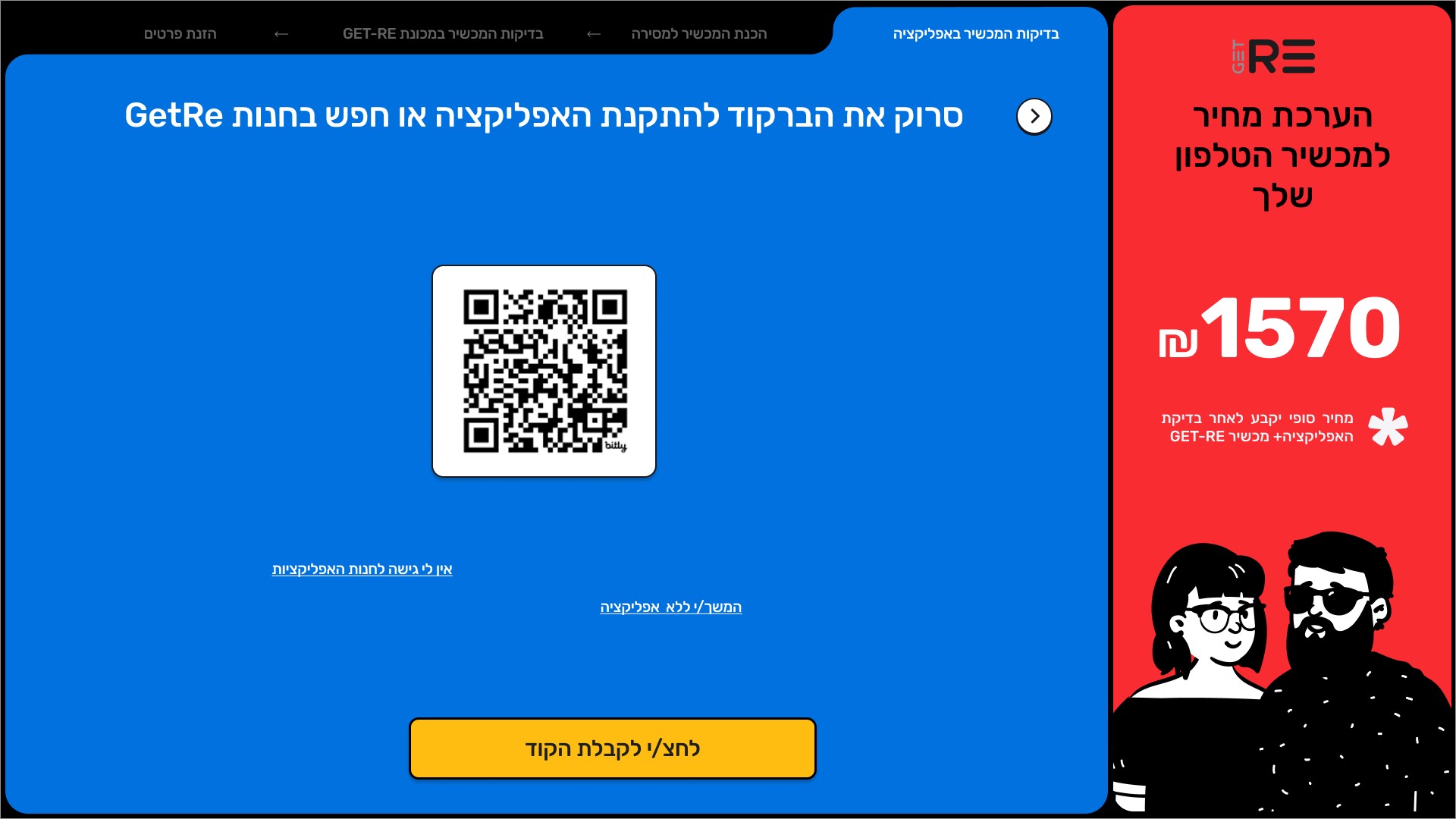
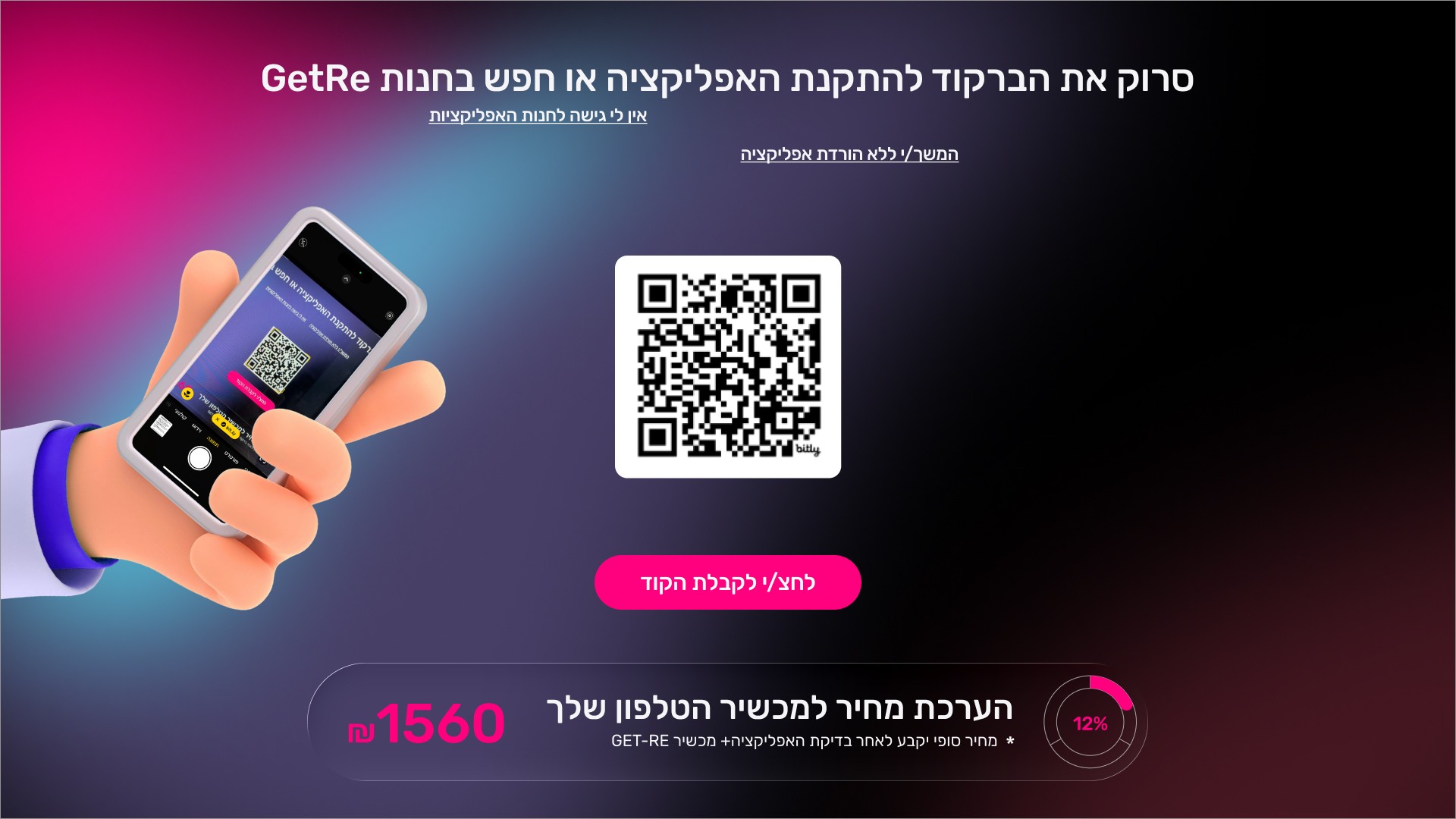
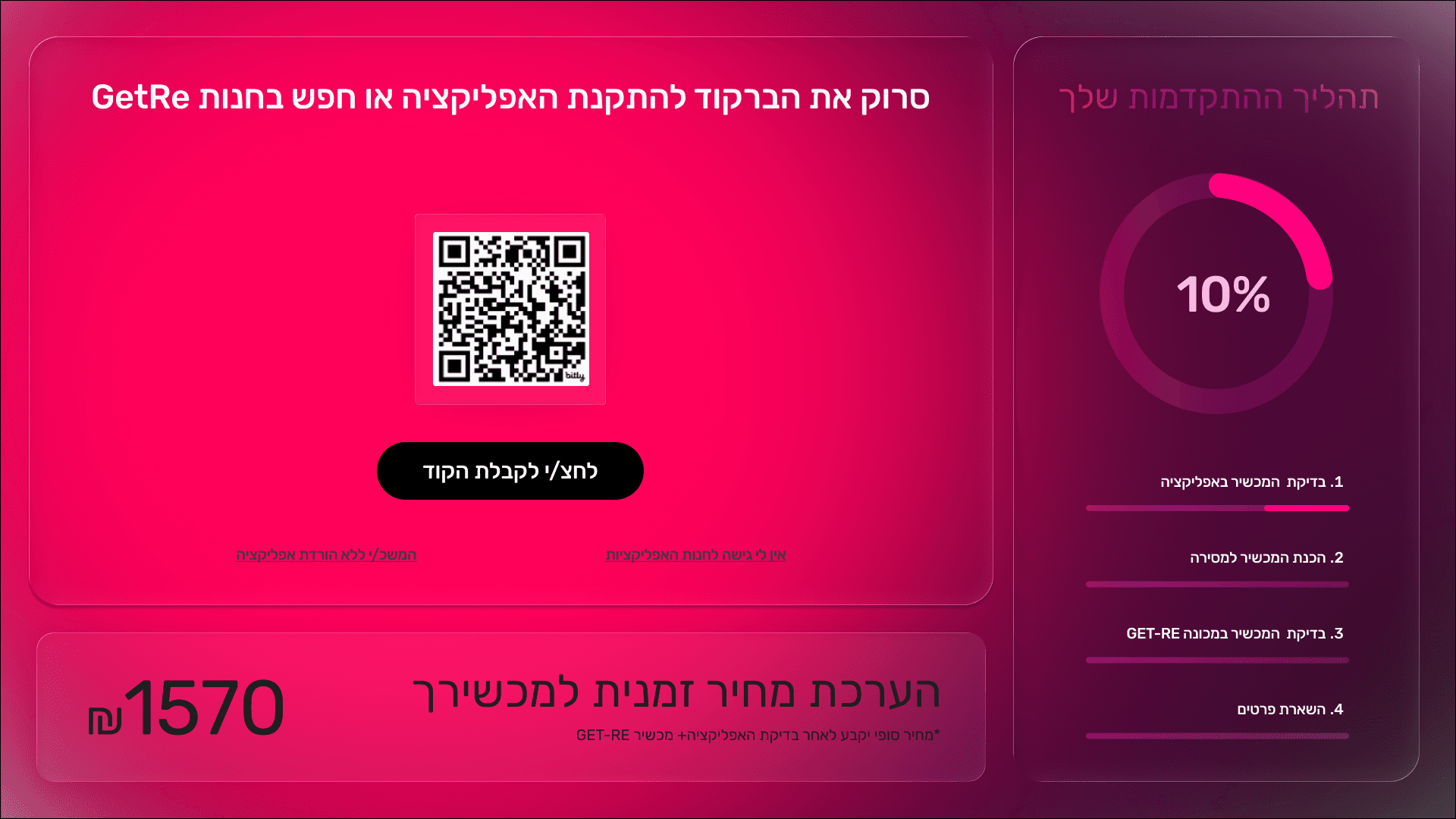
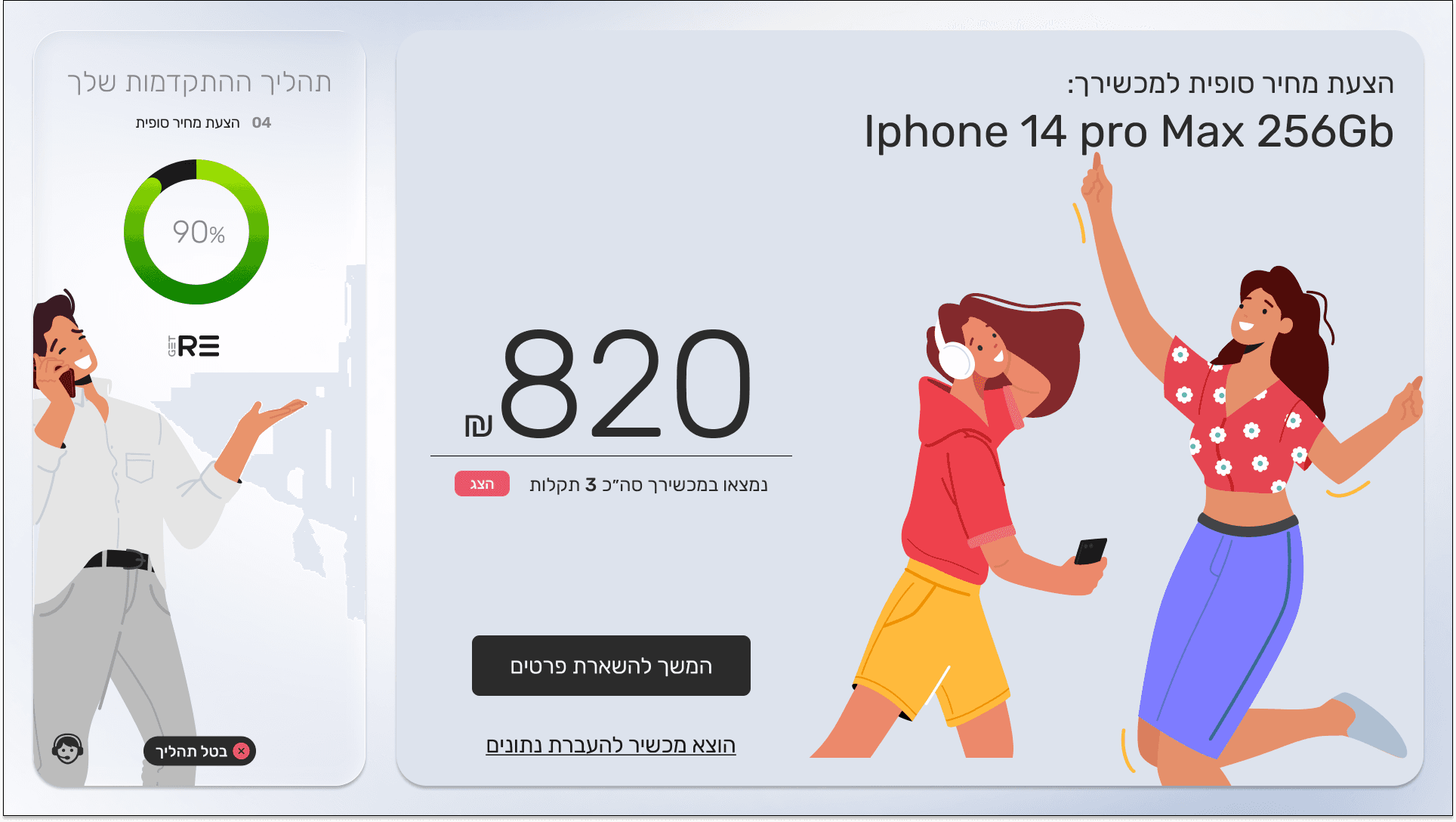
Create a frictionless end-to-end trade-in journey—from QR scan and self-testing via app, to optical evaluation, instant offer, and on-the-spot redemption—boosting conversion rates to 35% while enhancing retailer efficiency and sustainability branding.

My role:

As both Head of Design and a hands-on UI/UX designer, led the entire design vision and execution for the REbox kiosk, mobile app, and admin dashboards. This included strategic leadership, team collaboration, and direct design work, ensuring intuitive flows for non-tech-savvy users in retail environments.Collaborated with product and engineering teams to translate business needs into seamless, visually cohesive experiences.

Responsibilities:
  • Led user research

  • storyboarding

  • Designed wireframes/prototypes.

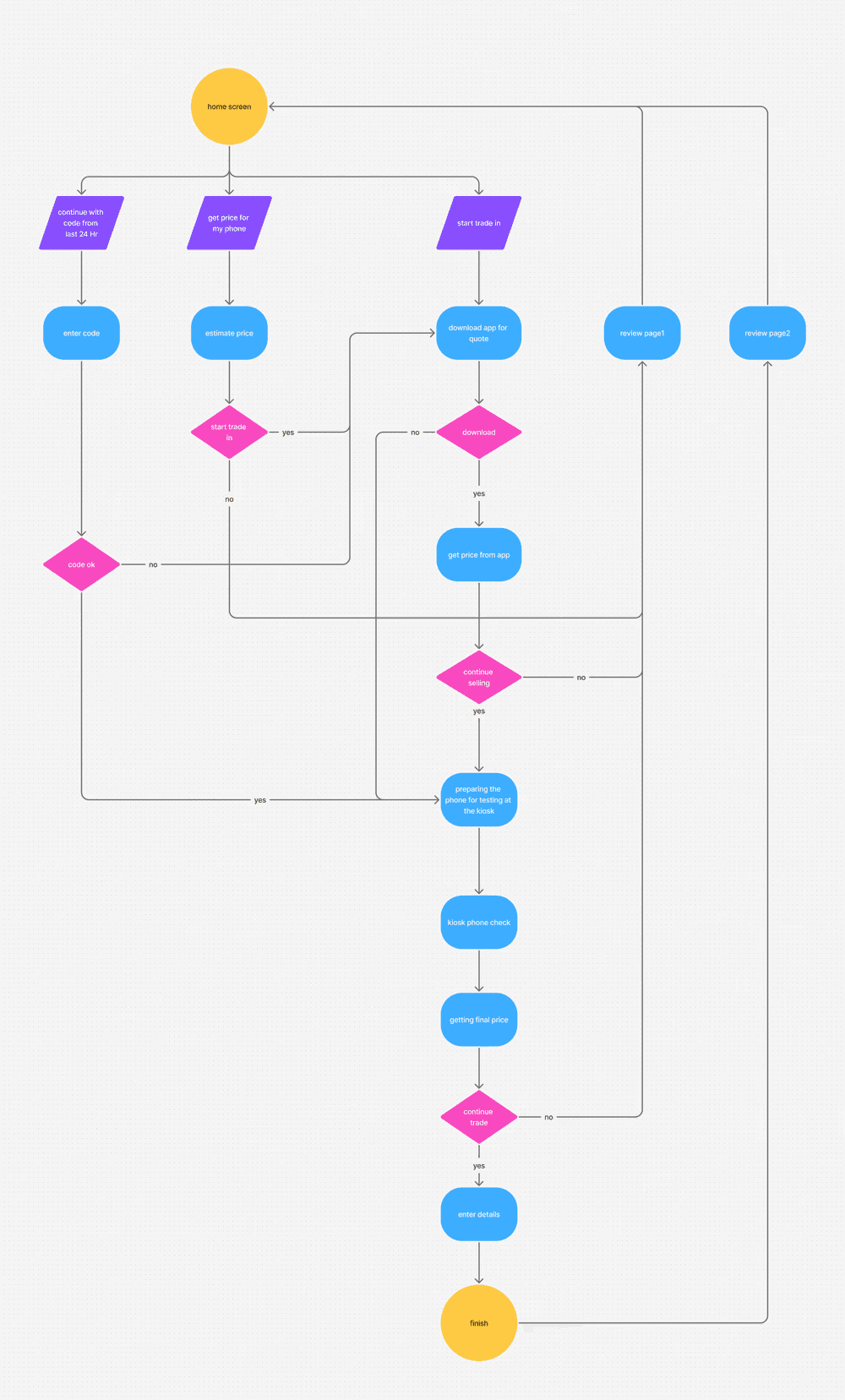
  • Designed flow diagrams.

  • making high-fidelity prototype

All about the user :

User Research

The GET-RE trade-in experience is designed to simplify how people sell or upgrade their smartphones in retail stores and kiosks. It allows users to check their device, see its value, and complete the trade-in in a guided, user-friendly flow, without needing store staff at every step.

Pain Points

Unclear trade‑in value

Users do not understand how the device price is calculated, which reduces trust and leads to drop‑offs.

Confusing evaluation flow

The steps to test and submit the device feel long, inconsistent, and not clearly guided on-screen.

High dependency on store staff

Users feel they must ask staff for help at every step, making the experience slow and uncomfortable in busy stores.

User Journey Map

User Journey Map Get-Re Trade‑In


  1. Awareness
    The user notices the GET‑RE kiosk in the store or a promo sign and understands they can trade in an old phone instead of letting it sit unused.

  2. Entry & onboarding
    The user approaches the kiosk, starts the flow, and gets a short, clear explanation of how the trade‑in works and what to expect (steps, time, and type of reward).

  3. Device check & self‑testing
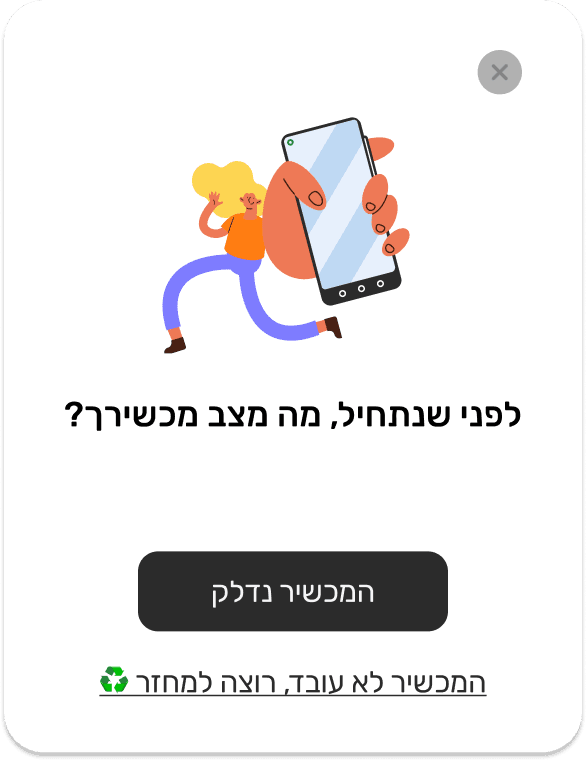
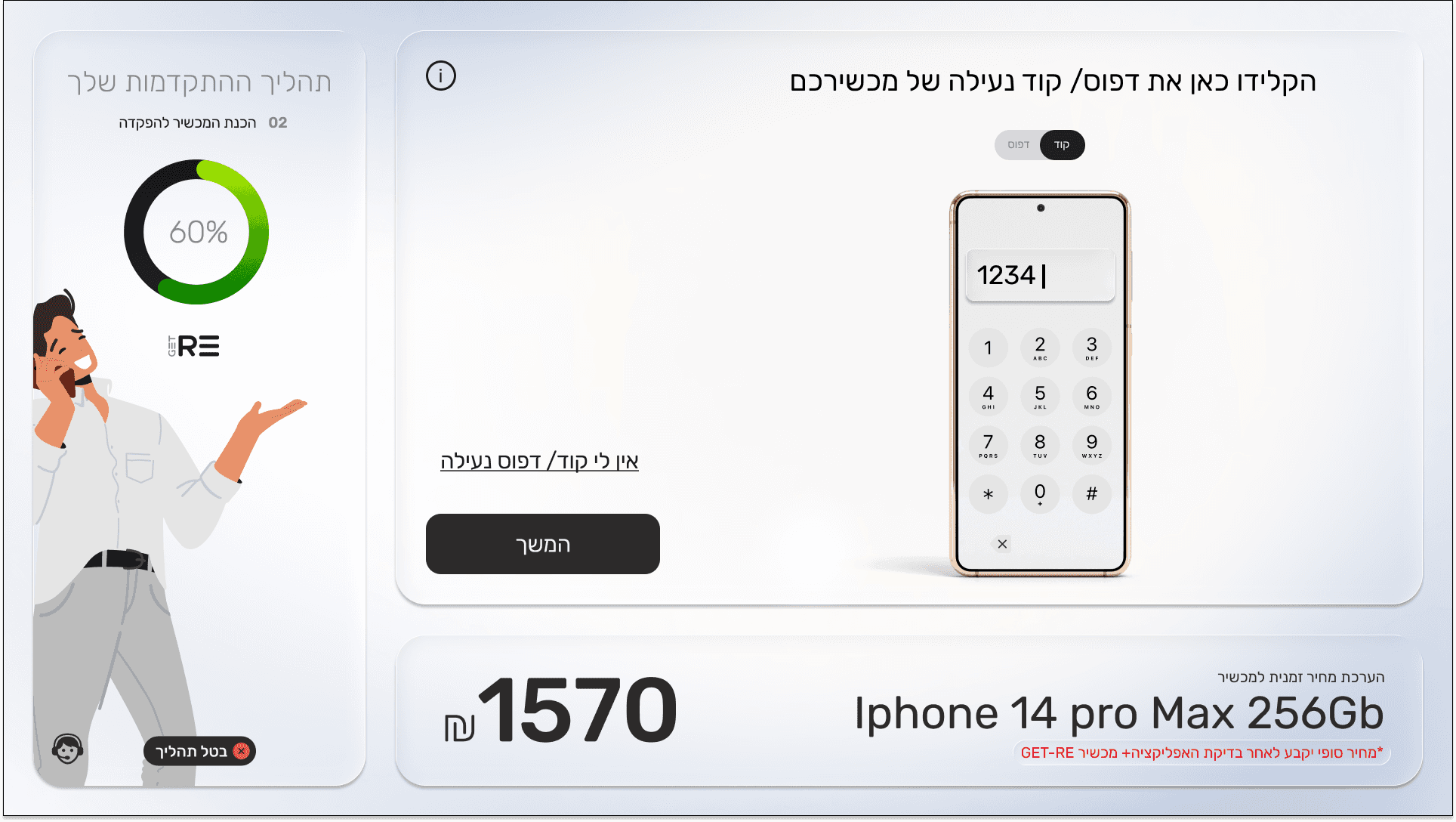
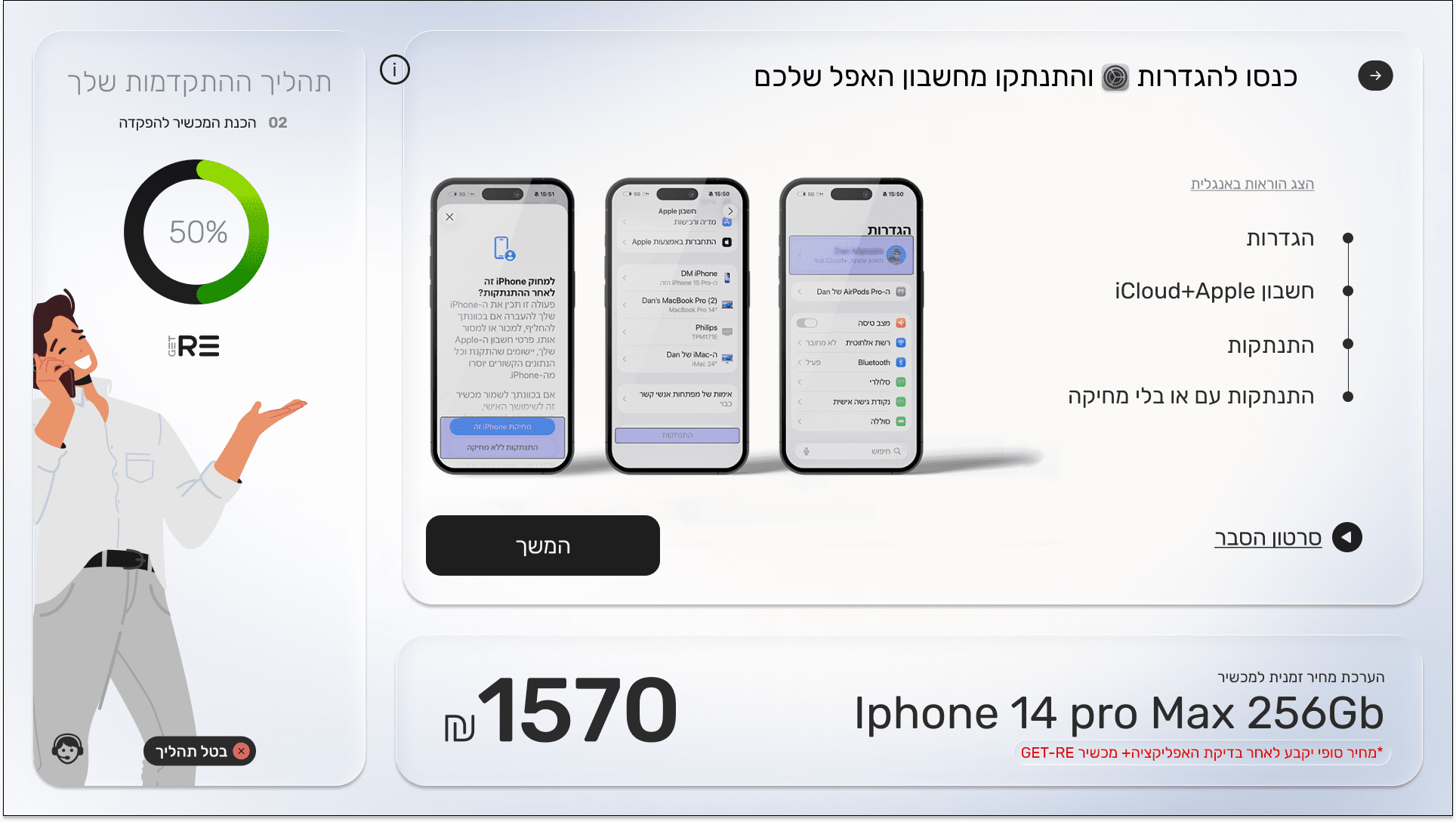
    The user identifies the phone model and follows guided tests (screen, buttons, battery, etc.) to quickly validate the device condition in an intuitive, step‑by‑step flow.

  4. Automated evaluation
    The user deposits the phone in the REbox, the machine performs optical and system checks, and within a short time the user sees a transparent, itemized trade‑in offer.

  5. Offer decision
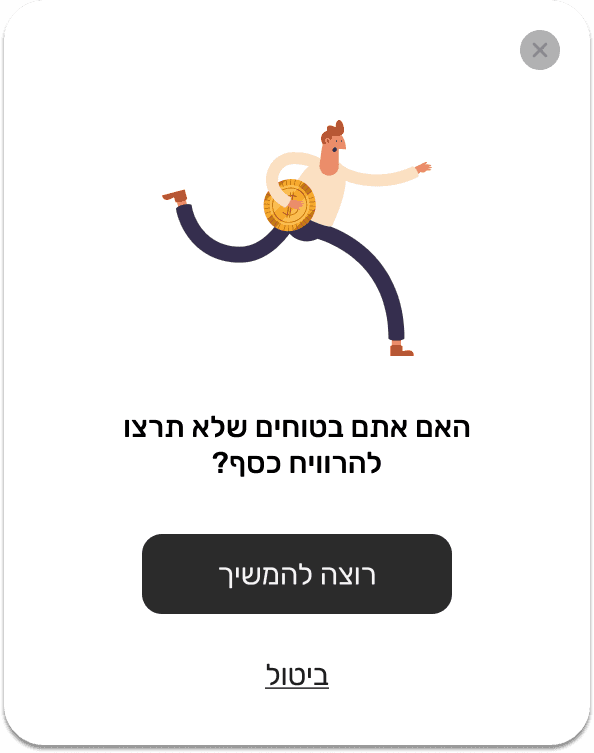
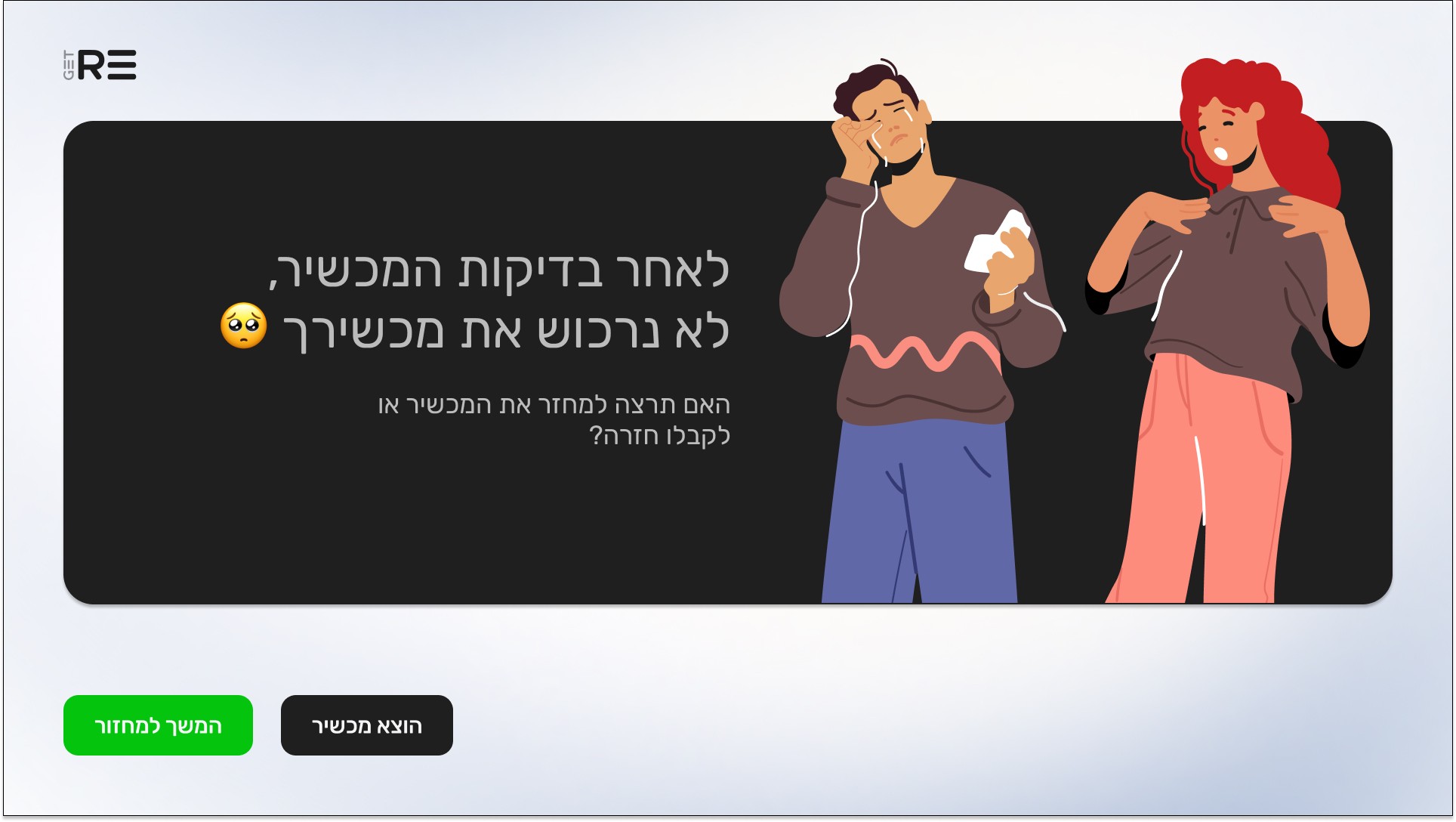
    The user reviews the value, any conditions, and can either accept the offer or cancel and retrieve the device, with clear messaging about each option.

  6. Reward & checkout
    If the offer is accepted, the user instantly receives a digital or printed coupon/credit and can immediately use it at the store checkout to purchase a new device or accessories.

  7. Post‑experience
    The user leaves with a sense of a fast, fair, and eco‑friendly process, and may receive a follow‑up message or prompt to use GET‑RE again or recommend it to others.

The project schematically :

Starting the Design

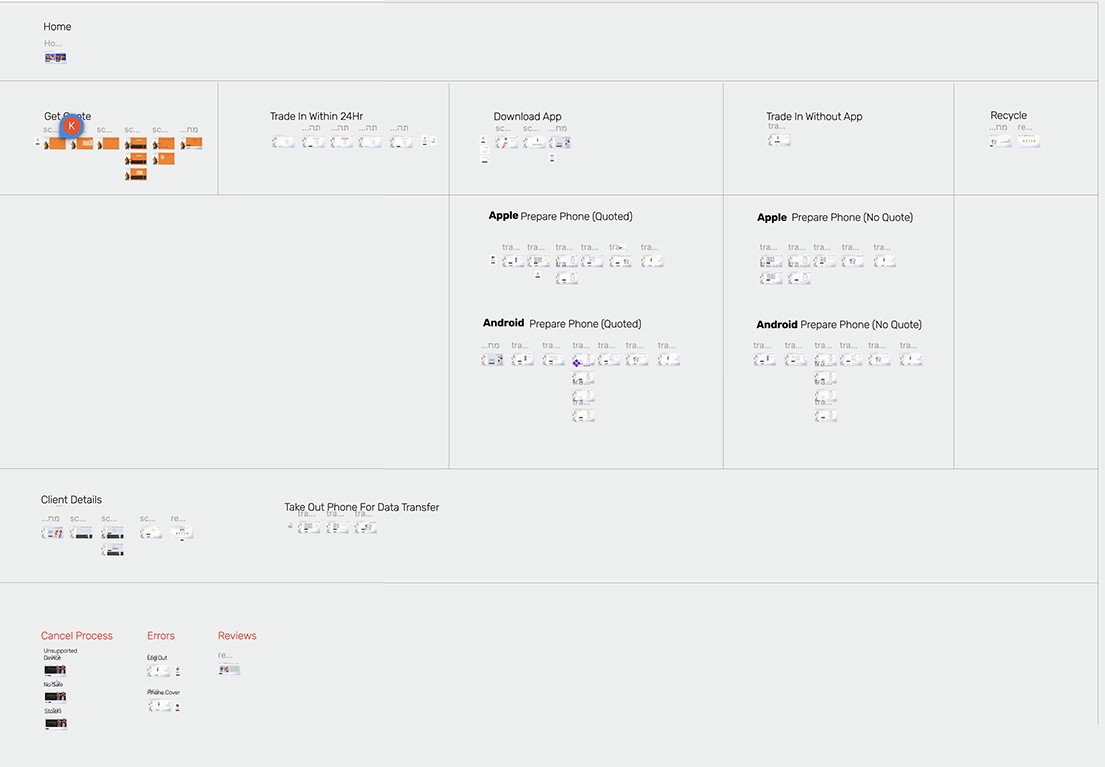
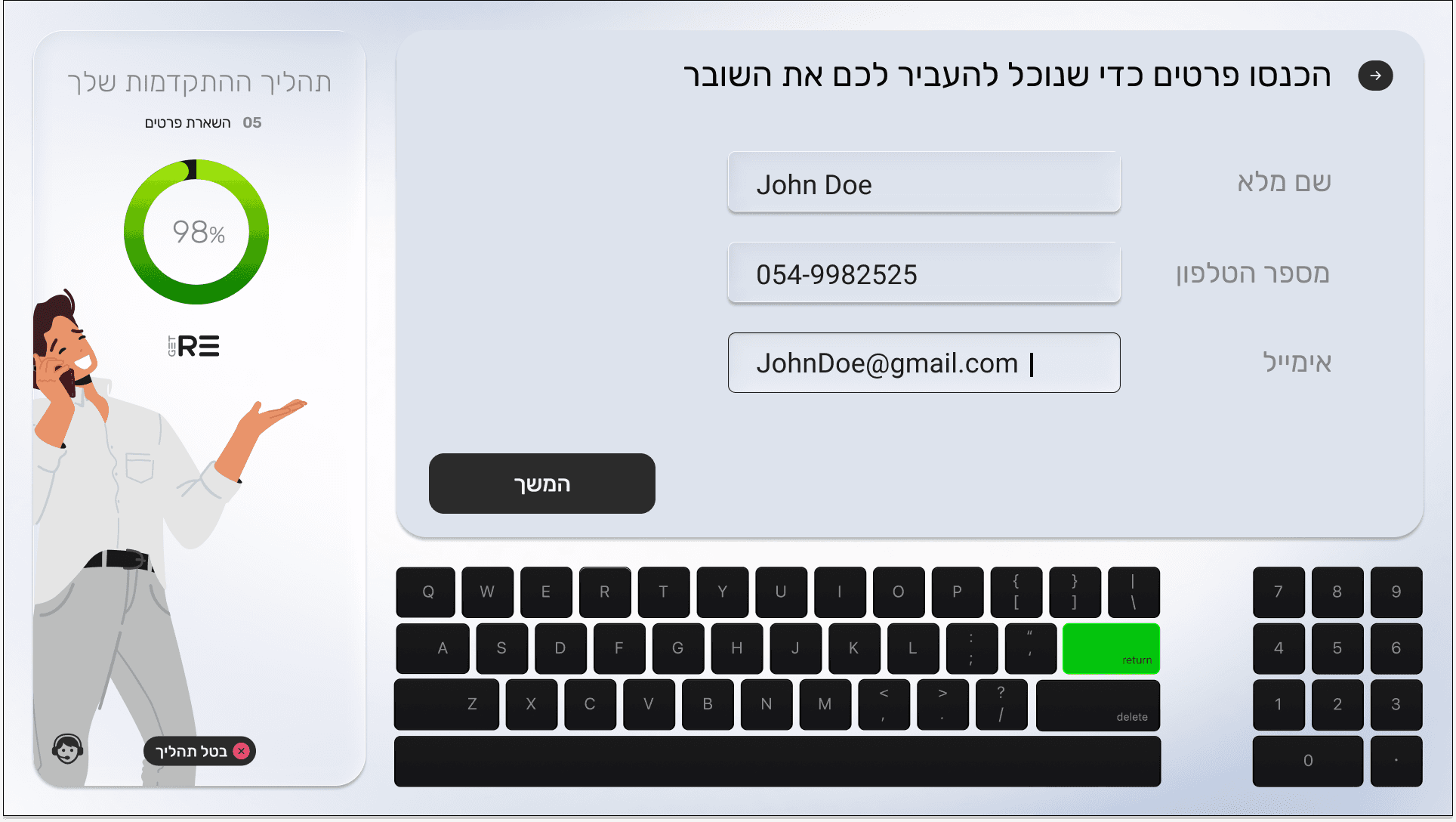
I created various diagrams and storyboards to clarify and analyze the app's information and architecture. Afterward, I sketched paper wireframes and then transitioned to digital wireframes, building a low-fidelity prototype to conduct initial usability studies with stakeholders.

Wireframes & Prototypes

On this step I used the Figma design tool to create digital wireframes of all the pages. Then I bonded all of them into the clear and smooth structure.
The goal is to show how all the pages and things interact with each other.

nice interior
nice interior
nice interior

Usability Studies

For this project, several usability sessions were conducted with real users interacting with the early GET‑RE trade‑in flows. The goal was to observe how people discover the kiosk, understand the process, and complete a trade‑in, and to capture where they hesitate, get confused, or drop off. Insights from these sessions helped refine the navigation, device evaluation steps, and offer screens before moving into final design and development.

Onboarding clarity

Users needed a clearer introduction that explains how the trade‑in flow works, what steps they will go through, and how long it will take. A structured first screen with expectations and progress indication reduces anxiety and helps them commit to the process.

Device evaluation guidance

Participants were unsure which tests they must complete and what each check (camera, screen, buttons, battery) actually verifies. More visual cues, micro‑copy, and step‑by‑step instructions make the evaluation feel safer and more transparent.

Offer and reward transparency

Users wanted clearer messaging around how the final trade‑in value is calculated and how they can use the coupon or credit in store. Highlighting value breakdown, limitations, and next steps on the same screen increases trust and reduces drop‑offs at the decision stage.

The clear version :

Refining Design

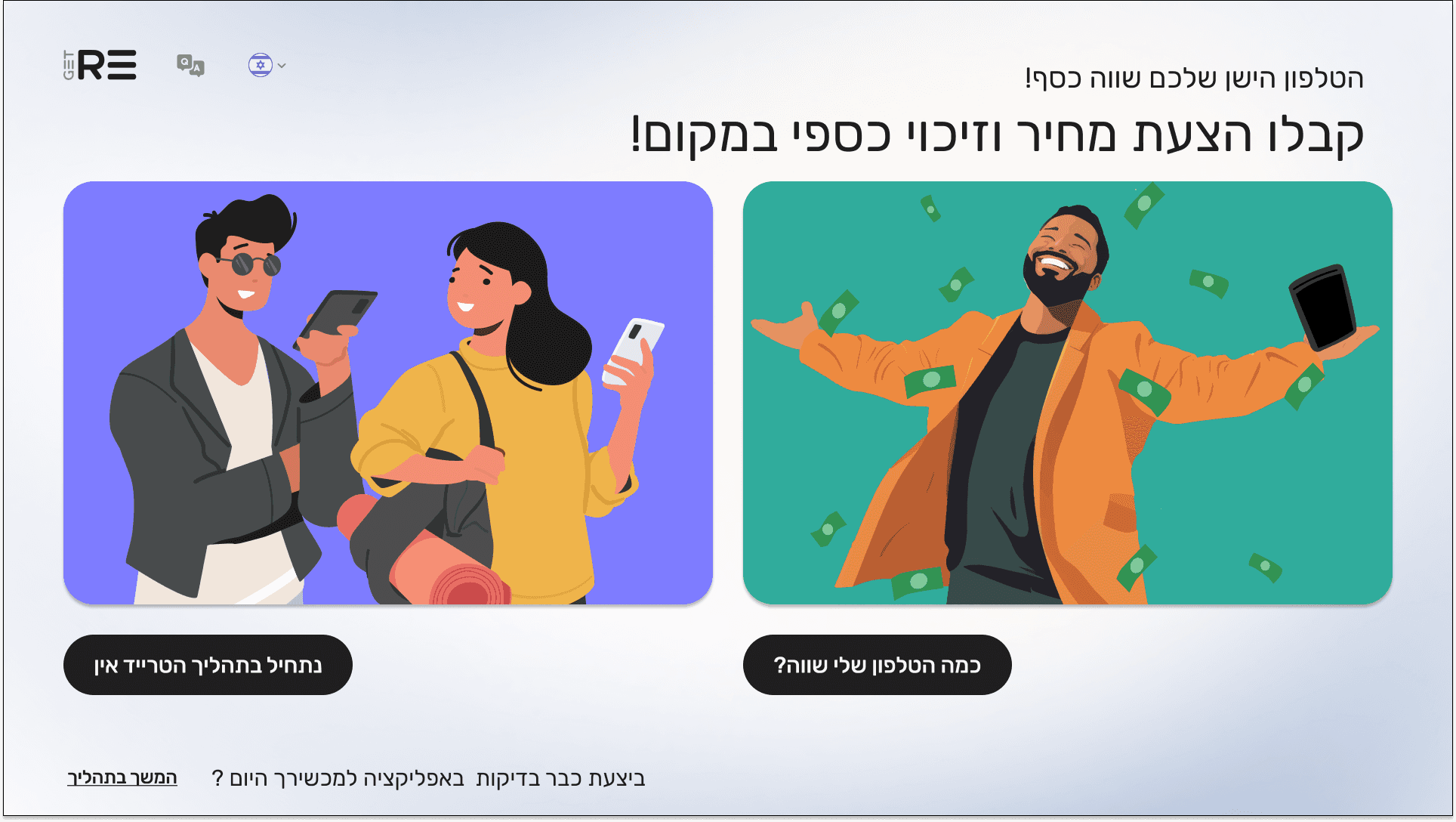
On this step, first I created a static, high-fidelity Voo's app design (keeping in mind all the conclusions from the previous phase of usability studies) that is a clear representation of a final product called design mockups.
After that, I created a high-fidelity prototype of the app.

Mockups

Card Title
Card Title
Card Title
Card Title
Card Title
Card Title
Architecture
Architecture
Modern Design
Modern Design
Abstract Art
Abstract Art
Card Title
Card Title
Card Title
Card Title
Card Title
Card Title
Architecture
Architecture
Modern Design
Modern Design
Abstract Art
Abstract Art

High-fidelity prototype

I turned my mockups into a prototype that's ready for testing, using gestures and motion, which can help enrich the user experience and increase the usability of the app.

The project schematically :

Outcome

I created various diagrams and storyboards to clarify and analyze the app's information and architecture. Afterward, I sketched paper wireframes and then transitioned to digital wireframes, building a low-fidelity prototype to conduct initial usability studies with stakeholders.

More Projects

Nina

SeeTrue

TrackLease

MoovingOn

Tempo

Bolt Agency

Get-Re

More Projects

Nina

SeeTrue

TrackLease

MoovingOn

Tempo

Bolt Agency

Get-Re

More Projects

Nina

SeeTrue

TrackLease

MoovingOn

Tempo

Bolt Agency

Get-Re

Let’s connect and create something meaningful together.

To get in touch :

Let's Talk

Call Now

Follow me on:

Click to copy :

einavgi@gmail.com

Let’s connect and create something meaningful together.

To get in touch :

Let's Talk

Call Now

Follow me on:

Click to copy :

einavgi@gmail.com

Let’s connect and create something meaningful together.

To get in touch :

Let's Talk

Call Now

Follow me on:

Click to copy :

einavgi@gmail.com

Let’s connect and create something meaningful together.

To get in touch :

Let's Talk

Call Now

Click to copy :

einavgi@gmail.com

Follow me on: